Tables
from pywpdoc import Document

doc = Document.new("hwpx")  # or "docx"
t = doc.add_table(2, 2)
t.cell(0, 0).text = "Item"
t.cell(0, 1).text = "Count"
t.cell(1, 0).text = "Notebook"
t.cell(1, 1).text = "12"
doc.save("purchase.hwpx")
Common APIs: add_table(rows, cols, style=None), doc.tables, table.cell(row, col), table.rows, cell.text. The resulting wrapper type is backend-owned. Style identifiers, merge geometry, nested tables and revision behavior may vary; see format-specific reference. Complex merged tables require dedicated visual QA rather than assuming identical editor layout.
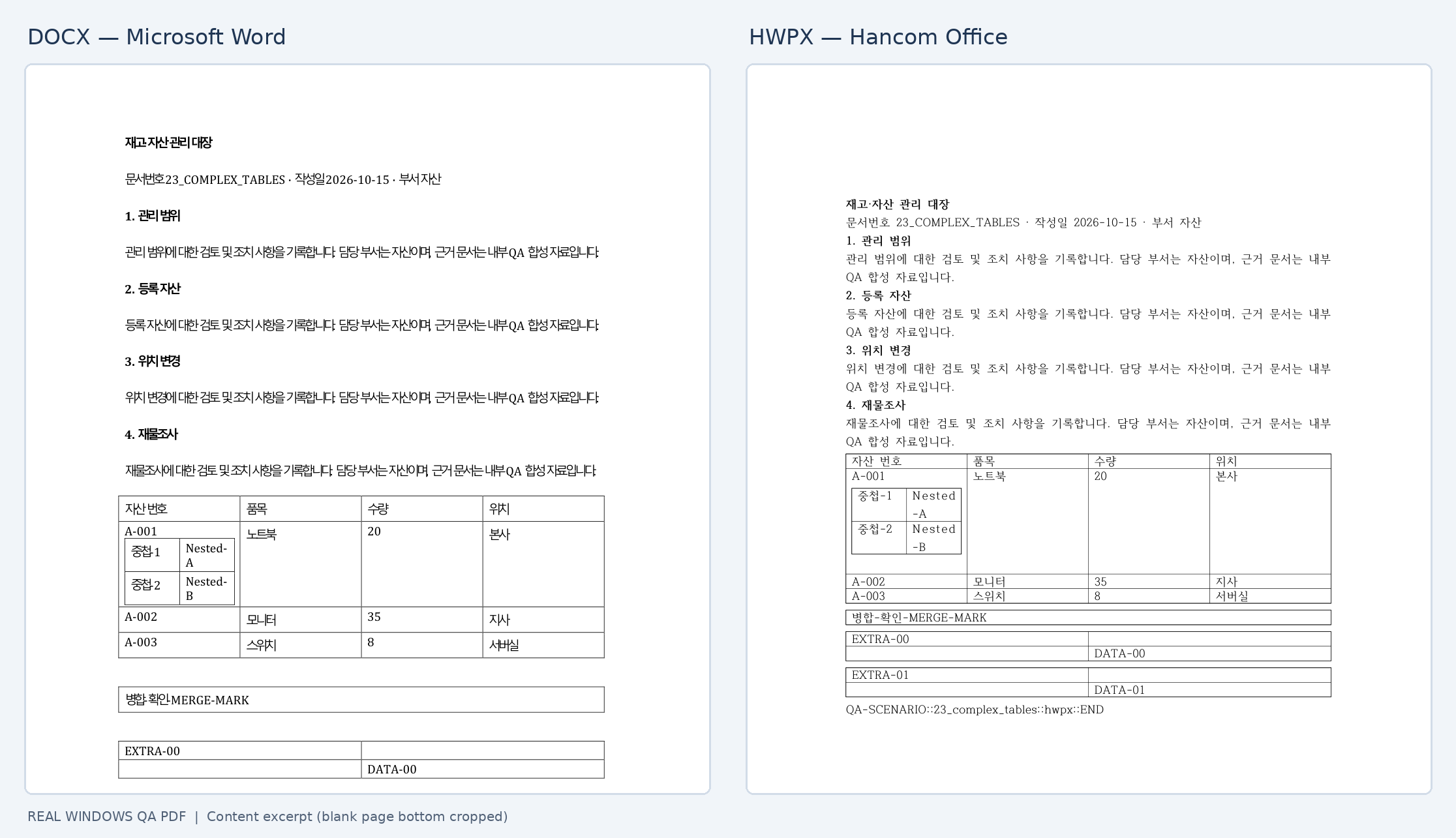
Native QA illustration, not a promise of pixel-equal output.